
Home/Best PC Cases
Best PC Cases 2026: Top Picks by Form Factor, Style & Budget
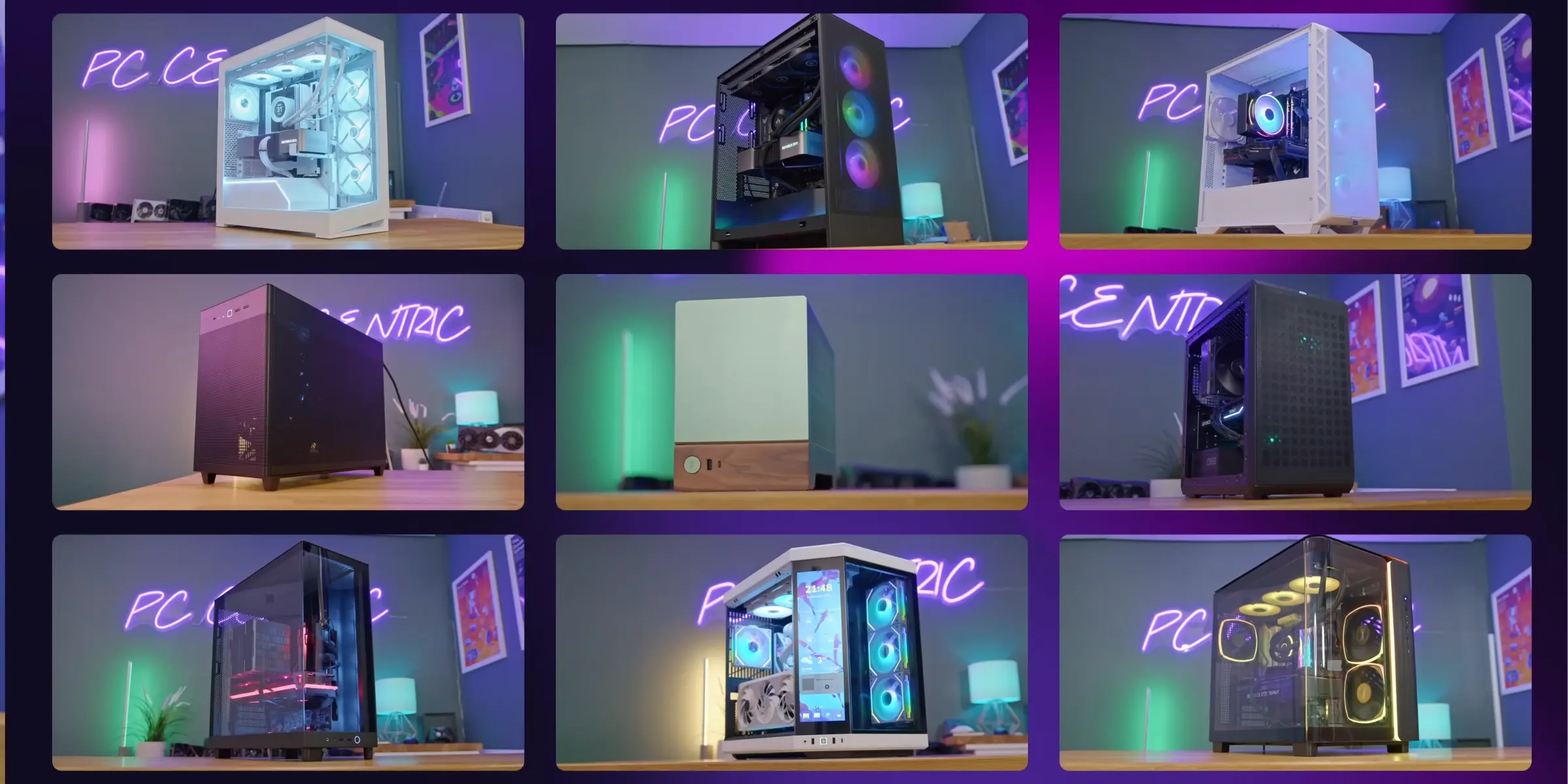
Choosing the right PC case goes beyond style, it's about factors like form factor, airflow, GPU clearance and build quality to determine how well your build will perform as compared to your parts list. Here are the current top picks in each of the major areas: the top pick for Best Case Overall, the best NAS Case build, the best Compact ATX build, the best Minimalist Aesthetics pick, the best Unconventional Design pick, the best Tight Budget build, and the best No-Compromise Premium build.

Each pick on this page was based on actual independent testing and hands-on reviews, not manufacturer marketing. If there is a real caveat in a case (a build quality issue, an airflow tradeoff, or a missing feature), we'll tell you. Every link also takes you directly into our complete guide for that category if you want the whole picture. Still unsure which area to begin? Our guide to choosing a PC case covers what to consider when selecting a case, form factor, airflow, and clearance, before spending any money.
The Roundup
Best PC Cases Overall
Seven picks, one per category, each linking to the full deep-dive roundup for that category if you want to compare more options.
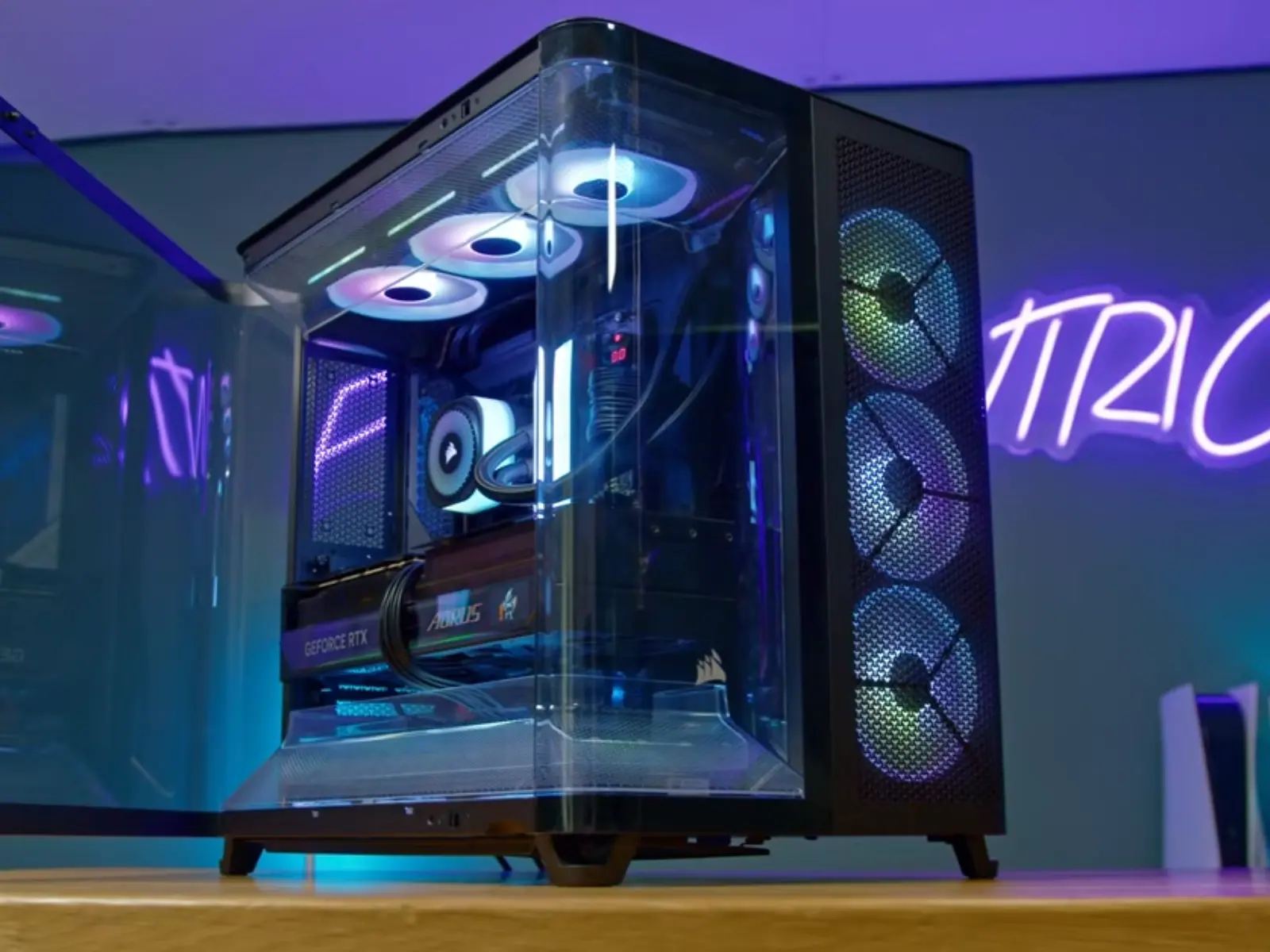
Best Overall: Corsair Air 5400
The Corsair Air 5400 is the first case we have reviewed with a true triple-chamber configuration (CPU radiator isolated from GPU and main chambers). A true innovation and not simply marketing terms; CPU temperature reduction as measured via independent testing is in excess of 25°C when the radiator is run within the dedicated chamber versus running in a typical top-mount location, while there is no loss to GPU temperatures. In addition, the entire system is much quieter than other configurations since the highest noise-producing areas are located away from the seating area.
The build quality of the Corsair Air 5400 matches the level of innovation and features, thick steel panels, swiveling side panel doors, removable motherboard tray, Corsair iQ Link capabilities for single-cable fan and RGB lighting management, and has curved tempered glass both front and back, giving the Air 5400 a very high-end appearance in either black or white.
There are, however, some potential drawbacks, specifically cost and some potential compromises. The LX model includes fans and the iQ Link hub at a cost of greater than $300. Additionally, the upper chamber can only accommodate 120mm fans. Finally, despite having an interior volume of 75 liters, the Air 5400 has relatively poor storage options (only two 2.5" drive bays and a single 3.5" drive bay), and provides USB-C connectivity through 3 ports for front I/O with no USB-A connectivity.
If you are looking for the "best" all-around case on this list, regardless of the build style you plan to use, and do not mind paying for what represents a truly innovative approach to case design, this may be the case for you.
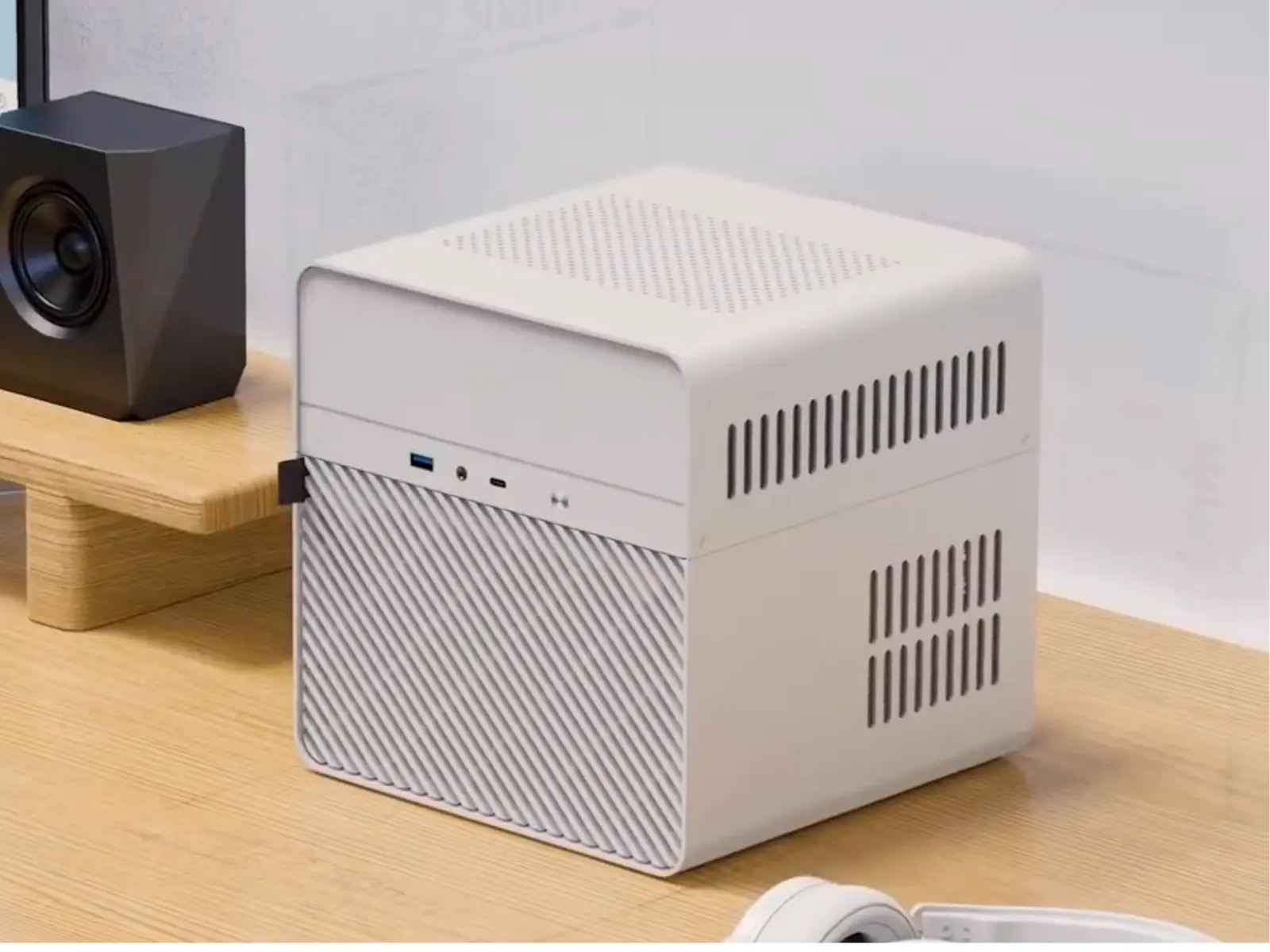
Best NAS Cases: Jonsbo N2
The Jonsbo N2 brings serious, true "hot swap" NAS capabilities to a box very similar in size to an off-the-shelf 4-bay Synology, however, it can be built completely DIY and serviced. The five 3.5" hot-swappable bays are connected to a separate SATA backplane (confirmed SAS controller compatible) along with a 2.5" mount for a boot SSD, all within a solid aluminum casing and simple magnetic front panel.
As expected, thermal performance was impressive in actual use. In a fully populated 5-drive RAID 5 configuration, disk temperatures remained at a nice 29–32°C level, even while using the low fan setting. Using the fans at 70% when using hotter, larger-capacity drives at 7200 RPM allowed for safely operating all disks in the 38–40°C range.
However, there is one major drawback to the OEM-provided cooling system: it comes equipped with a thin 120x15mm fan instead of a standard 25mm fan. The provided fan is much louder than it needs to be and provides significantly less airflow than would be necessary for a NAS like this, which will contain multiple hot drives stacked vertically. As such, swapping out the stock fan for a quieter alternative is likely worth every penny for most users who will stack multiple hot drives. Additionally, the Jonsbo N2 requires an SFX power supply, not a standard ATX power supply, so take note of this requirement when making your parts selection.
If you are looking for a way to obtain hot-swap NAS storage capabilities without breaking the bank or becoming locked into a proprietary solution from another manufacturer, this is the enclosure to build around.
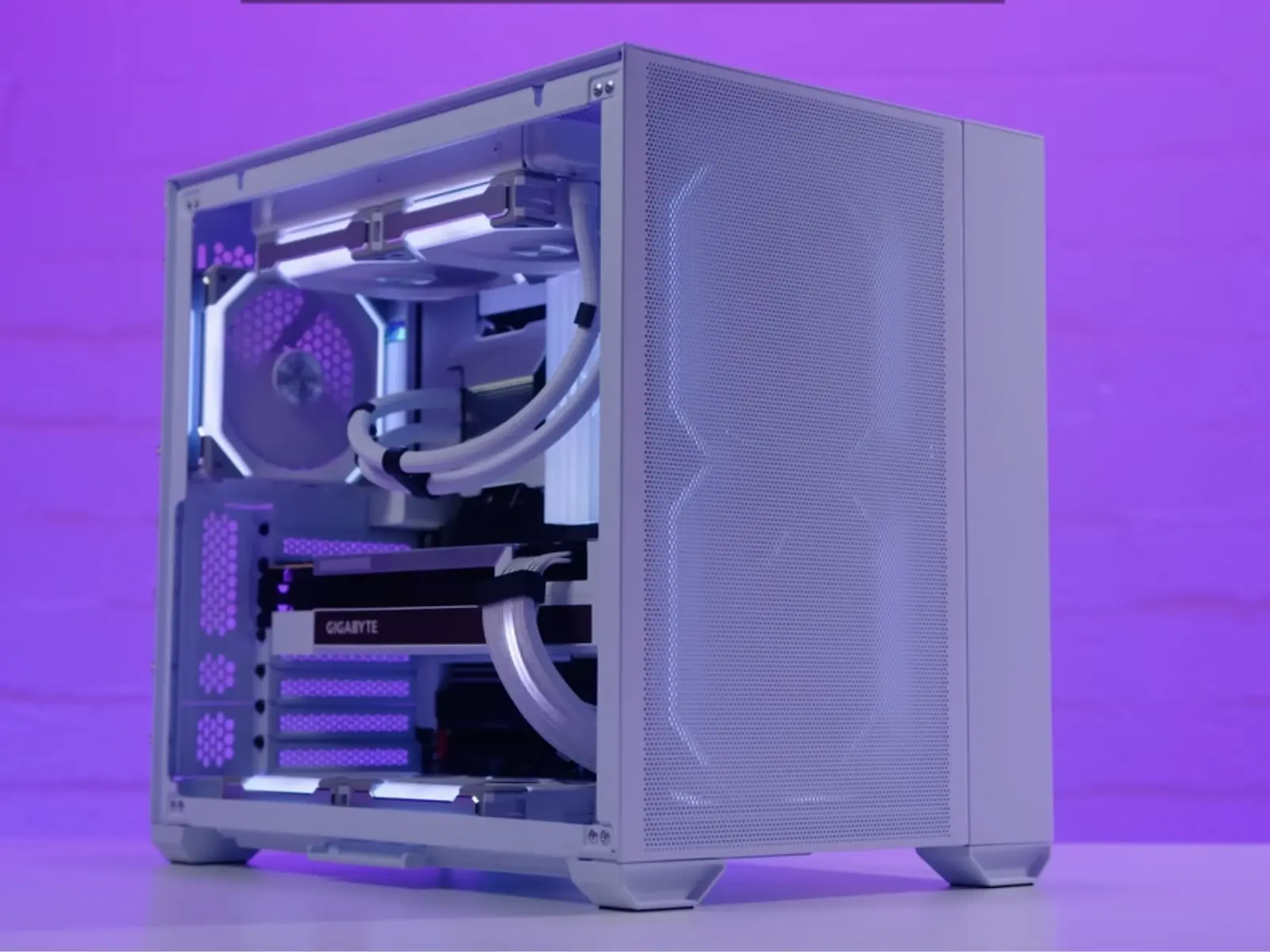
Best Smallest ATX Cases: Lian Li O11 Air Mini
The Lian Li O11 Air Mini corrects what was by far the largest problem with its predecessor, the O11 Dynamic Mini: this case is 19mm wider to accommodate a full-size ATX power supply, rather than forcing you to use a pricier SFX-type power supply. In addition to keeping the compact, chimney-style ATX-capable form factor of the O11 Dynamic Mini, the Lian Li O11 Air Mini comes with three quality fans, two 140mm intake fans up front and a single 120mm exhaust fan at the rear, unlike the prior version, which shipped without any fans. With a price range of approximately $99–$109, this is a very attractive offer, and hands-on builds using serious components (a 12-core CPU, an NVIDIA GeForce RTX 3090, and a 240mm liquid cooling system) run without any issues with excessive heat.
There are, however, two important points to consider before purchasing this case. First, the case is 2cm shorter than the previous generation, which limits your ability to install a 360mm radiator on top, even with Lian Li's optional offset bracket, limiting you to a maximum of a 240mm radiator. Second, while the "Air" designation may lead you to believe this case has excellent front-panel airflow, independent thermal testing indicates the front mesh panel restricts airflow more than it appears to, resulting in a temperature difference of roughly 7°C when comparing GPU temperatures with and without the mesh panel installed. Don't expect airflow equivalent to a Lancool 2 Mesh.
For the price, and the fact that it can finally accommodate a full-size ATX power supply, the Lian Li O11 Air Mini represents one of the best options currently available for a compact ATX case, provided you plan to build around a 240mm radiator loop, not a 360.
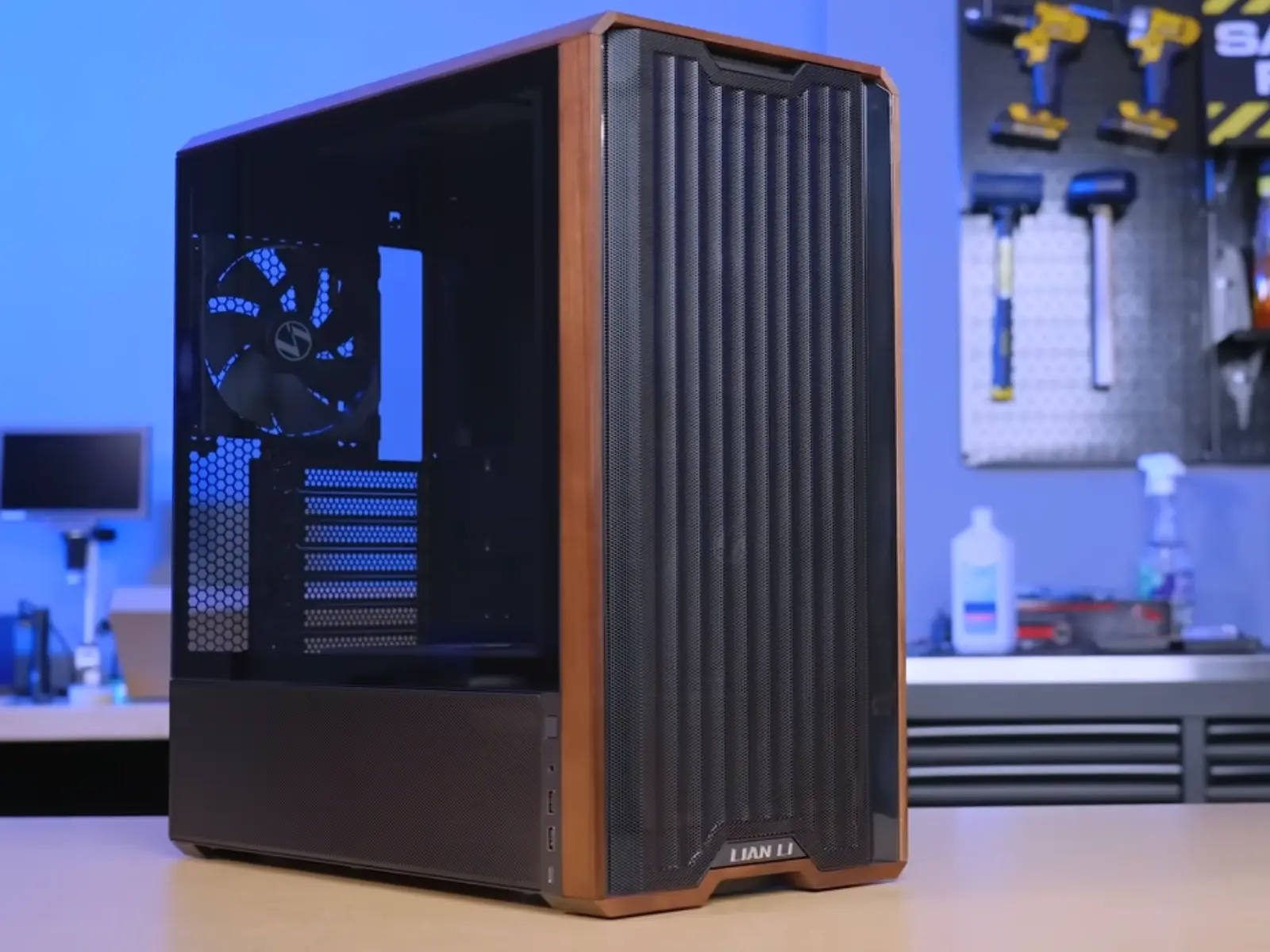
Best Minimalistic PC Cases: Lian Li LanCool 217
The Lian Li LanCool 217 achieves a clean minimalist look with a wood-panel design similar to how Fractal Design North popularized the style, but tighter, the black model's walnut trim is flush-mounted and has an understated appearance compared to cases where the trim is simply an aesthetic feature; here, the front panel actually mounts into the trim, making it structural rather than cosmetic. The LanCool 217 maintains top-level performance alongside its aesthetics, it's essentially Lian Li's flagship LanCool 216 and 207 models combined, with two large 170mm toolless intake fans up front that outperform many comparable cases on noise-normalized thermals, plus reconfigurable "CPU mode"/"GPU mode" fan placement you can swap without removing a single screw.
This case costs around $120–$125, which provides better value than the similarly-performing Fractal Meshify 3 ($140+) and comes close to matching the Antec Flux Pro, while including several features that none of Lian Li's competitors offer, a 90° rotatable PSU mounting system for improved cable routing, SSI-EB workstation support, dual power buttons, and enough space to hold up to four drives.
One build-quality note: the lower mesh side panel is extremely thin and completely perforated for maximum airflow, which means it may bend during shipping or handling, not something to worry about too much, but worth a gentle unboxing. It's also the loudest case in its price range at full fan speed, so you'll likely want to run it noise-normalized rather than at max RPM.
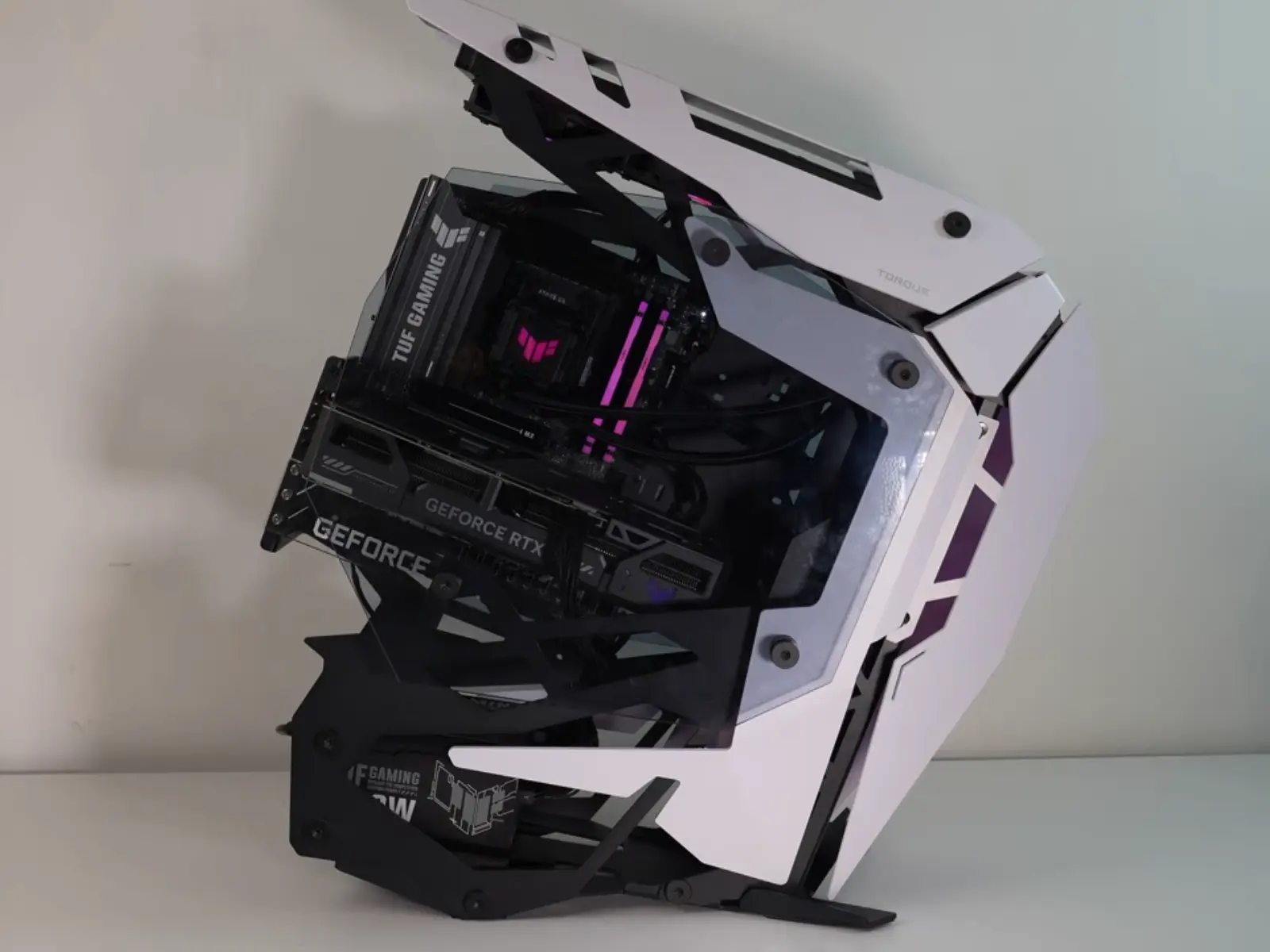
Best Transformer/Unique PC Cases: Antec Torque
The Antec Torque doesn't resemble anything currently available in the marketplace, an open-frame, superbike-styled chassis made of 100% 3mm aluminum panels weighing 9kg. This is truly a work of art, builds using this case have received both the Rig Show award and Performance award at enthusiast shows, and there is significant water-cooling headroom due to the open-frame design, allowing for two full 360mm radiators (top and front) and ample clearance for thicker 45–60mm radiators.
However, as beautiful as the styling is, it comes at a price. Multiple reviewers independently agree on this: at approximately $350, it's nearly twice as expensive as similarly-configured open-frame cases such as the Cougar Conquer ($250), which ships with no fans, no cable management accessories, and no dust filtration. Storage space is also very limited, just two drive bays, and they can't be accessed until the motherboard is removed. The vertical GPU support bracket is another known weakness; it's supported by only three screws and exhibits flex with heavy video cards or custom loops, where sag can stress your fittings.
This case isn't recommended for the novice builder or anyone requiring a complete "turn-key" solution. It's best suited for builders who want a true showpiece and are willing to supply their own fans, cable management, and, ideally, additional GPU bracket support.
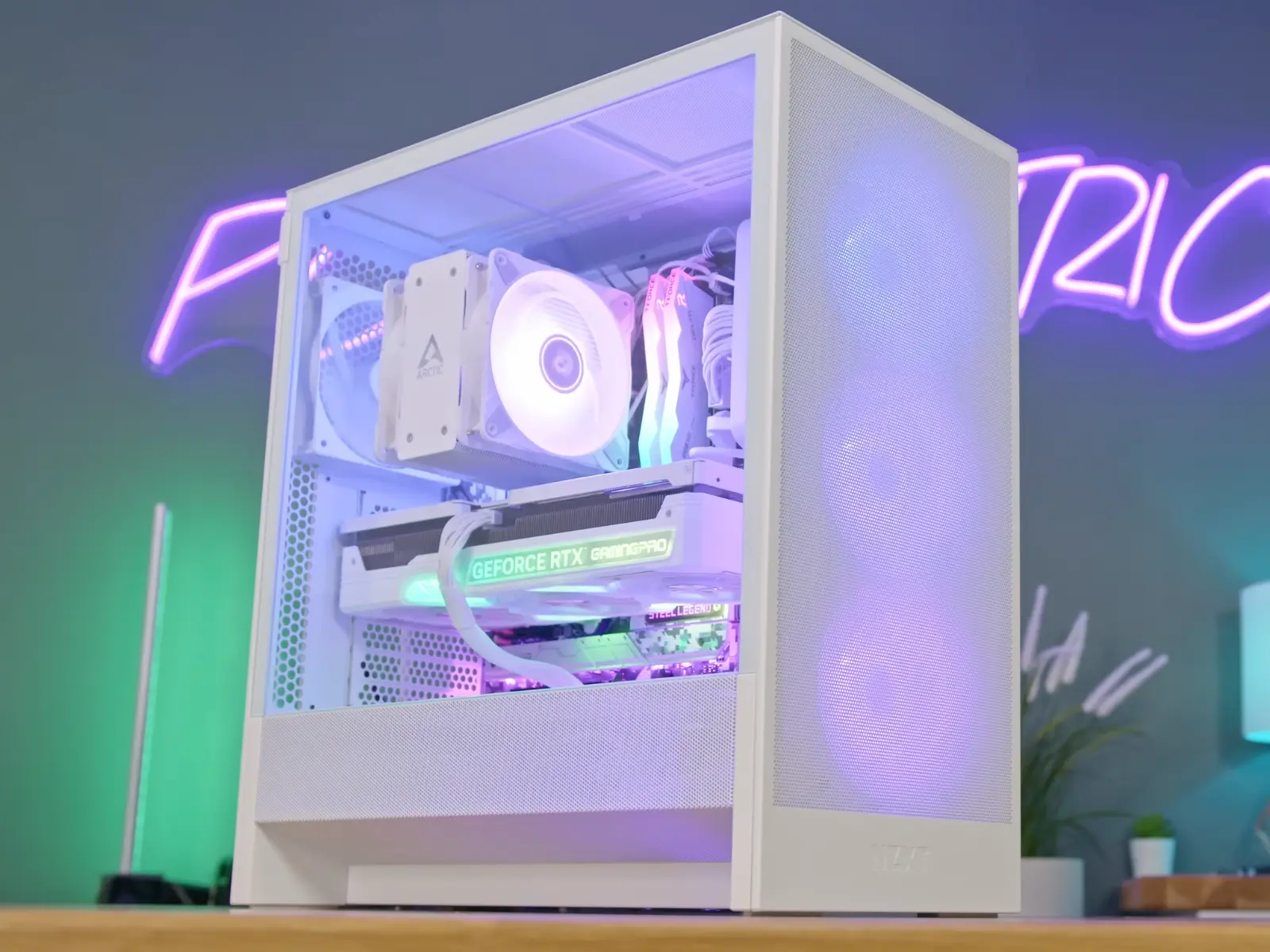
Best Budget Case: NZXT H5 Flow
The NZXT H5 Flow delivers beyond expectations: when tested using a mid-tier Ryzen 7800X3D processor paired with an RTX 4080 Super graphics card and a budget ~$30 AIO liquid cooling system, it kept GPU temperature at a reasonable 50°C and maintained CPU temperature at 53°C during gaming. Under a full Cinebench stress test, CPU temperature reached 68°C, still a very respectable result.
This level of thermal performance is impressive given the case starts at $95 (or approximately $120 for the RGB model), thanks to a thoughtful internal design where the power supply is moved to the side, allowing unimpeded airflow directly onto the GPU from below.
Build quality reflects the price: rather than dealing with dozens of individual pins, there's a single connector on the front panel, plenty of options for securing cables via ties, and there is space for up to a 360mm radiator on the front if additional cooling capacity is desired later. There are also compromises at this price. Front I/O is limited, only two USB connections (one USB-A and one USB-C) are provided, which may frustrate users accustomed to attaching multiple peripherals. Storage is restricted to one 3.5" hard drive mounting location plus a few 2.5" SSD mounts, so this isn't suitable for building a media server. And even on models with RGB lighting, you'll need a compatible NZXT motherboard, or a separate controller, to actually use it.
At this price point, the thermal performance alone makes the NZXT H5 Flow an easy budget choice.
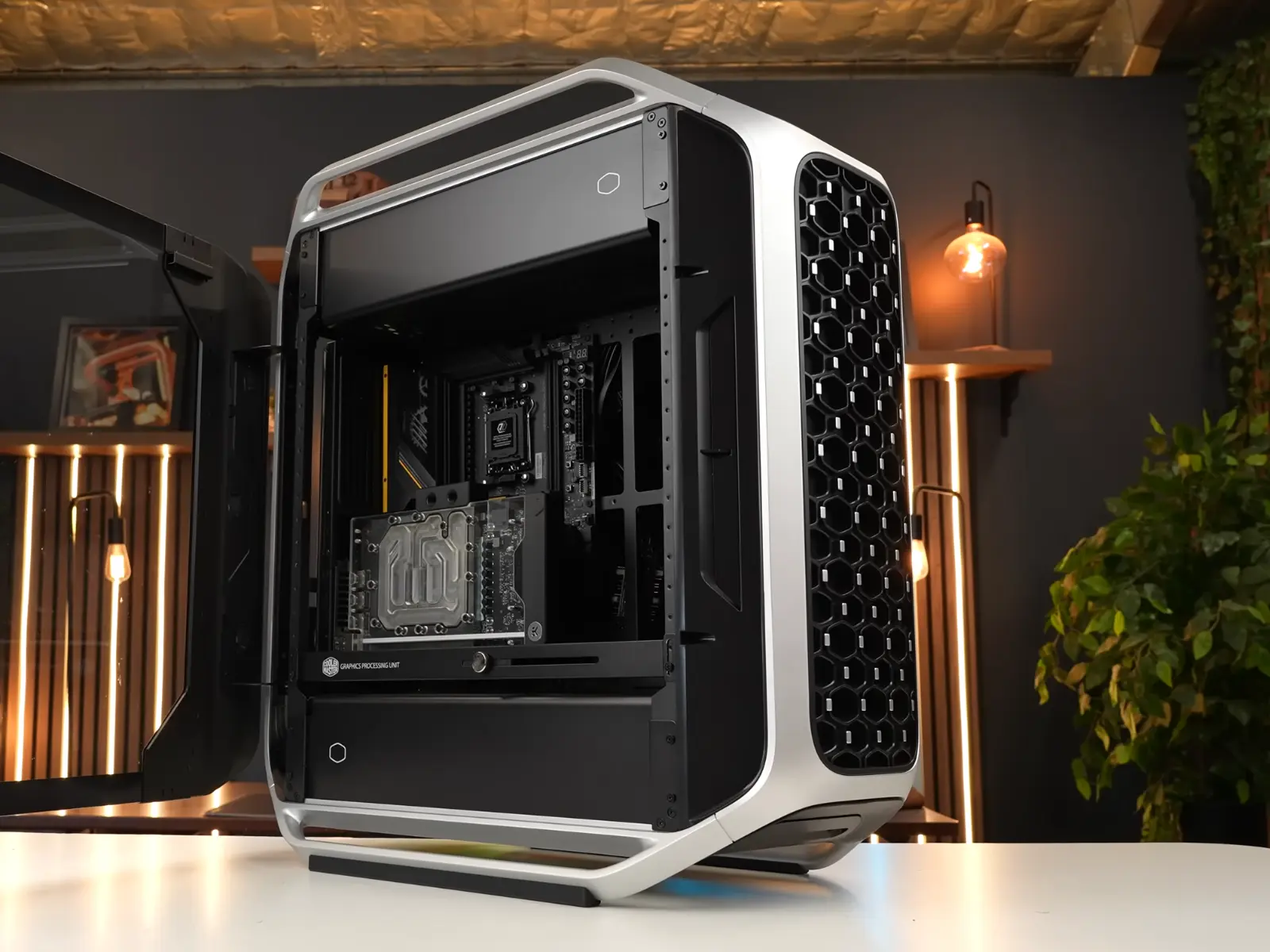
Best Premium Case: Cooler Master Cosmos Alpha
The Cooler Master Cosmos Alpha is built around a genuinely unique feature, the entire motherboard tray can slide forward and backward through dedicated air-cooling or liquid-cooling configurations. Combined with support for up to three 360mm radiators (top, bottom, and rear simultaneously), this is one of the most cooling-flexible full towers on the market, and it shows in real-world results: a Ryzen 9 7900X3D that normally idles around 50–52°C dropped to 38–39°C in this case paired with a single 360mm AIO, while holding an excellent 79.3°C average during a full Cinebench R23 stress test.
It's certainly not effortless, though. Both independent builds we reviewed reported the same issue: the front tempered-glass panel is heavy enough that it will eventually sag slightly on its mounting points and need a small lift to seat properly. This is genuinely a case for experienced builders, the extensive use of magnetic panels means you'll likely need to take the case apart multiple times during your build, the inner motherboard-mounting layer has more flex than you'd expect for a case priced this high, and the doubled-up USB-A/USB-C headers require more motherboard connectors than many boards actually provide, which could limit you from using all available front ports at the same time.
If you're looking for the flexibility to build an elaborate water-cooled system and are willing to accept the added build complexity, this is the case to build around.
Not sure what to look for in a case?
Read our full guide to choosing a PC case, form factor, airflow, GPU/cooler clearance, and cable management, explained before you spend a dollar.
Read Our Full Guide to Choosing a PC Case →Recently Updated
Fresh case guides
Questions
Common questions
What size PC case do I actually need?
Match the case to your motherboard size first (Mini-ITX, Micro-ATX, ATX, or E-ATX), then check GPU length and cooler height clearance against your specific parts, a case rated for ATX doesn't guarantee room for a 350mm+ graphics card.
Do more expensive cases really cool better?
Not always. Airflow design, fan placement, and mesh density matter more than price, our budget pick here (NZXT H5 Flow) posted better GPU temps in testing than some cases costing twice as much.
Do PC cases come with fans included?
It varies widely, some ship with zero fans (like the Antec Torque above), others include three or more. Always check the fan count before budgeting for a build.
Is a bigger case always better for airflow?
No, a larger case gives you more radiator and fan mounting options, but actual airflow depends on mesh coverage and fan placement, not internal volume.
Can I put a Micro-ATX motherboard in an ATX case?
Yes, Micro-ATX boards share the same mounting hole pattern and I/O shield as ATX, so they install in any ATX-rated case without an adapter.