Last updated on July 21st, 2026 at 03:21 am
Building a NAS can be a great way to add some low-cost, high-value storage to your home lab or small business, especially if you have a lot of files to store. However, there are many ways to build a NAS, and while all of them will work, some are better suited for certain environments than others.
One key thing to understand about NAS storage systems is that they typically run 24/7. The reason is that when you attach a NAS to your network, usually with an ethernet cable, you expect to be able to access it at any time. As a result, you’ll need a case that is specifically designed to handle the heat buildup associated with long-term operation.
As you may know, finding a NAS case that fits your requirements can be frustratingly difficult. Many search results are either outdated (because the product is no longer sold) or simply a modified version of a gaming case. There are a few cases that were specifically designed for NAS applications, however finding those can take time, which is something most builders don’t have.
To help you find the best NAS case for your project, we’ve put together a review of ten cases from various manufacturers. Each of these cases has been tested for performance, durability, and features, and we’re including information on both form factor (e.g. Mini-ITX, full-tower) and intended application (home user, business user).
Whether you are looking for a Mini-ITX NAS case to sit on your home shelf, a 4U rackmount NAS case to go in your server room, or a NAS case that you plan to use to run Plex, TrueNAS, etc., we’ll provide you with a comprehensive guide to making the right decision for your project.
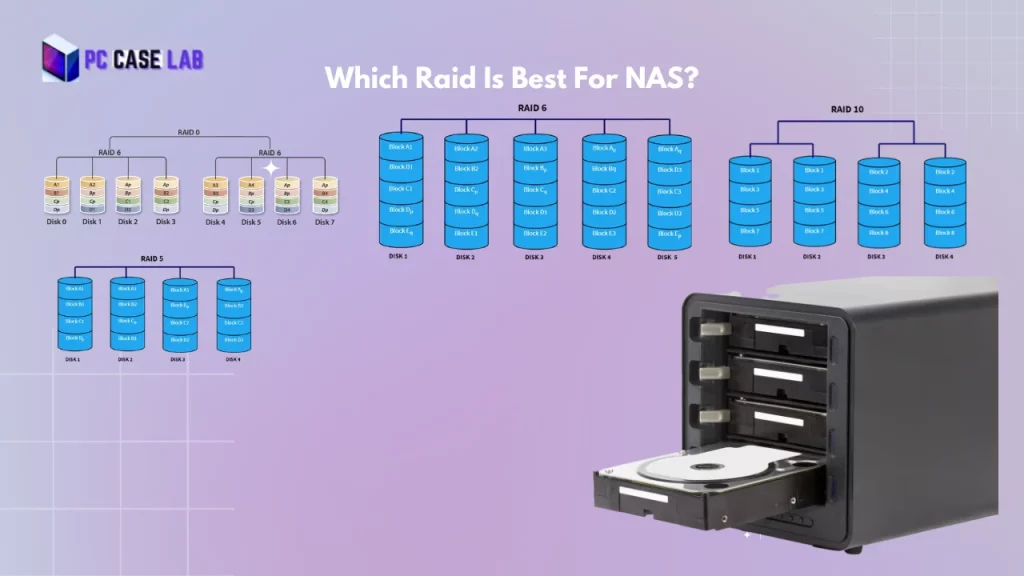
Although the speed performance and security depends on the what raid level you choose , you can configure for best raid for NAS according to your needs.
What Is a NAS? Defining Network Attached Storage
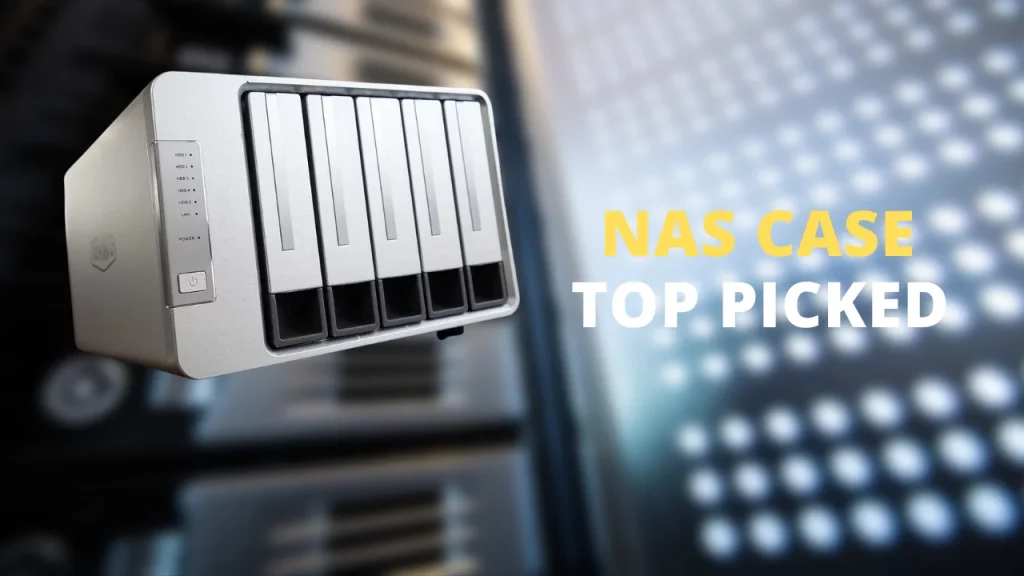
A Network Attached Storage (NAS) device provides a centralized location for storing and accessing data over a network. Typically, NAS devices are connected to a network via an Ethernet cable and powered by AC or DC power. Once connected to the network, each machine on the network will have access to the NAS.
In addition to providing a central point for file sharing across a LAN, NAS devices can also be configured to limit access to only certain machines on the network. Finally, NAS devices can be configured to allow remote access from outside the LAN.
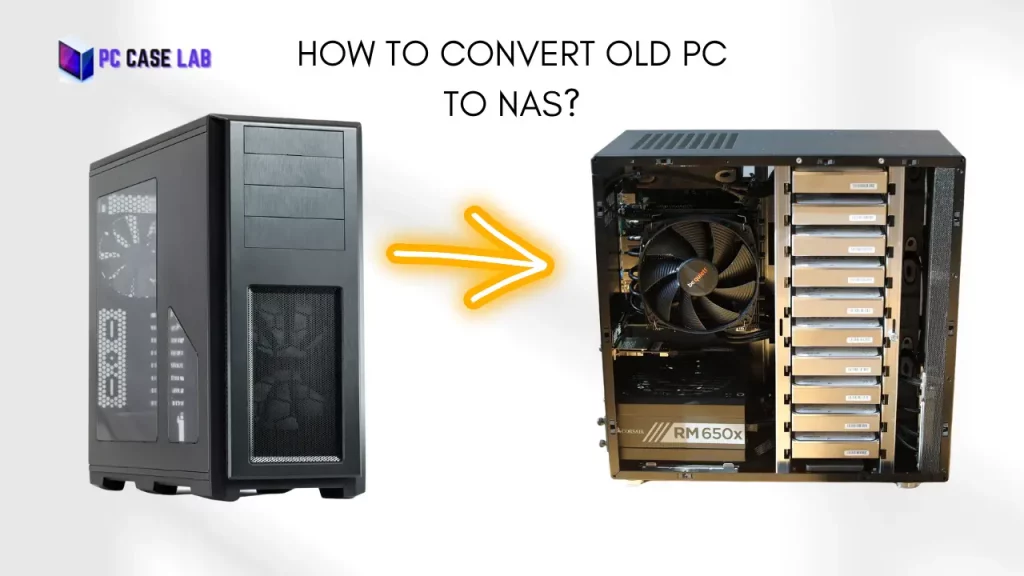
Converting an older PC into a NAS is a relatively inexpensive method of creating additional storage in your home lab or small business. A good NAS case can make the conversion easier to perform.
How to Choose the Best PC Case For NAS Build
Choosing the right NAS device is essential to ensure data integrity, security, and accessibility. Many factors need consideration before making a purchase. Each NAS device has its own strengths and weaknesses.
For example, some NAS devices have a lot of storage capacity while others have a lot of processing power. You should consider what your NAS device needs to do for the best fit. Let us look at some of the factors that will influence your choice of a NAS computer case:
Drive Storage and Bay Quantity
The quantity and style of bays determines how much storage you have available in addition to how easily you can add additional storage later. Most home NAS never require more than six to eight bays while a home server build using ZFS storage pools or RAID arrays might need ten to twelve bays. First count the number of drives you currently have. Next, determine how many additional drives you will need to add to your NAS before purchasing a NAS case. Once you know your drive count, plan your storage with our RAID capacity calculator to see exactly how much usable space each RAID level gives you.
Processors, Controllers and Memory
Smaller NAS systems with fewer bays cannot compete with the throughput of a larger system. If you intend to run Plex transcoding, virtual machines, or ECC memory for data integrity in your NAS, your case will need to accommodate the size of the motherboard (usually Mini-ITX or Micro-ATX) as well as allow room for an HBA card if you need additional SATA ports beyond those provided by the motherboard.
Networking and Connectivity
Higher network bandwidth translates into faster data transfer rates. In 2026, 10GbE networking should be considered for any serious DIY NAS build, even though 1GbE is a suitable starting point. Ensure your NAS server case has sufficient PCIe slot clearance for a 10GbE NIC or includes enough space to install an HBA.
Hot-Swappable vs. Fixed Bay NAS — What Do You Really Need?
A SATA backplane with hot-swappable bays allows you to remove a drive and swap it out without shutting down your NAS. Hot-swappable is included in virtually all enterprise NAS enclosures, however, budget cases are less likely to support this feature. If you’re creating a production NAS or a ZFS pool utilizing multiple drives, hot-swappable is worth investing in. However, if you’re simply creating a simple home NAS case or an SSD-based NAS, fixed bay is acceptable.
Populated vs. Diskless NAS
A populated NAS includes installed hard drives. A diskless NAS is shipped without any installed drives; you must provide the drives yourself. While populated units are more expensive than diskless units, they also allow you to begin using your NAS immediately. Diskless units offer you greater flexibility in selecting your own drives as most serious DIY builders use diskless units to select the specific HDDs or SSDs that they desire.
Cache and Hybrid Drive Features
Cache stores the most often accessed data in a faster local memory and reduces the amount of data being transferred to slower spinning drives. Hybrid configurations utilize a combination of HDDs for mass storage and SSDs for caching , a configuration used in many TrueNAS and UnRAID builds. Therefore, your NAS case will need to accommodate both types of drives, including a combination of 3.5″ and 2.5″ bays.
Compatibility of the NAS Operating System
Your NAS operating system runs atop your hardware and manages file sharing, permissions and storage pools. There are three primary options for NAS operating systems in 2026: TrueNAS (TrueNAS Core or TrueNAS Scale), UnRAID, and OpenMediaVault. TrueNAS Scale is based upon Debian and supports ZFS pools; UnRAID is the most flexible in terms of supporting a variety of drive sizes; OpenMediaVault is the easiest to understand for beginners. All of the cases listed below will work with all three , your decision is dependent upon your RAID level requirements and how much you wish to personally manage.
Compatibility of the NAS Operating System
A NAS operates 24 hours per day , it’s always-on storage by design. Drives that consistently operate above 40° C (spinning HDDs) will eventually fail. The best NAS enclosures either isolate the drive airflow from the CPU/GPU area, or include high-static-pressure fans directed specifically at the drives, or both. This is one of the most underappreciated aspects of choosing a gaming case for use as a NAS. Dialing in proper PC fan curves is essential for keeping drive temperatures in a safe range around the clock.
Quick Comparison — Best NAS Chassis 2026
Here’s a quick overview before we get into the full breakdown of each case:
| Case | Form Factor | Drive Bays | Hot-Swap | Best For | Buy |
|---|---|---|---|---|---|
| Jonsbo N2 | Mini-ITX | 5×3.5″ + 1×2.5″ | Yes | Compact DIY NAS | Check Price |
| Fractal Design Node 804 | Micro-ATX | Up to 12×3.5″ | No | High-capacity home server | Check Price |
| SilverStone DS380B | Mini-ITX | 8 hot-swap + 4 fixed | 8 bays | Dense SFF NAS | Check Price |
| Jonsbo N10 | Mini-ITX | 4×2.5″ | No | SSD-only quiet NAS | Check Price |
| Jonsbo NV10 | Mini-ITX | M.2 only | No | SFF gaming build | Check Price |
| Cooler Master HAF XB EVO | ATX cube | 4×3.5″ + 4×2.5″ | 2 bays | Advanced home lab | Check Price |
| Thermaltake View 37 | ATX Mid-Tower | 8×2.5″ or 4×3.5″ | No | Expandable multi-GPU NAS | Check Price |
| CORSAIR Carbide AIR 240 | Mini-ITX/mATX | Up to 6TB config | No | Gaming/HTPC NAS hybrid | Check Price |
| Supermicro CSE-721TQ | Mini-Tower | 4×3.5″ + 2×2.5″ | 4 bays | Business/prosumer NAS | Check Price |
| Rosewill RSV-R4000 | 4U Rackmount | 12 drive bays | No | Server room rack NAS | Check Price |
| Corsair Obsidian 500D RGB | ATX Mid-Tower | HDD + SSD support | No | Aesthetic-first NAS | Check Price |
What are the 10 Bes Nas Cases For Servers — Our Top Picks for 2026
Now that you already know what features to consider when choosing a NAS pc case, here are the best computer cases for NAS.
Jonsbo N2
Pros & Cons
- Hot-swap bays in an 11.1L chassis
- Premium aluminum + steel construction
- Clean magnetic front panel design
- Well-matched to low-TDP ITX platforms
- 65mm CPU cooler height limit
- Fan runs at full RPM by default
- Only one low-profile PCIe slot
- Tight cable routing — requires planning
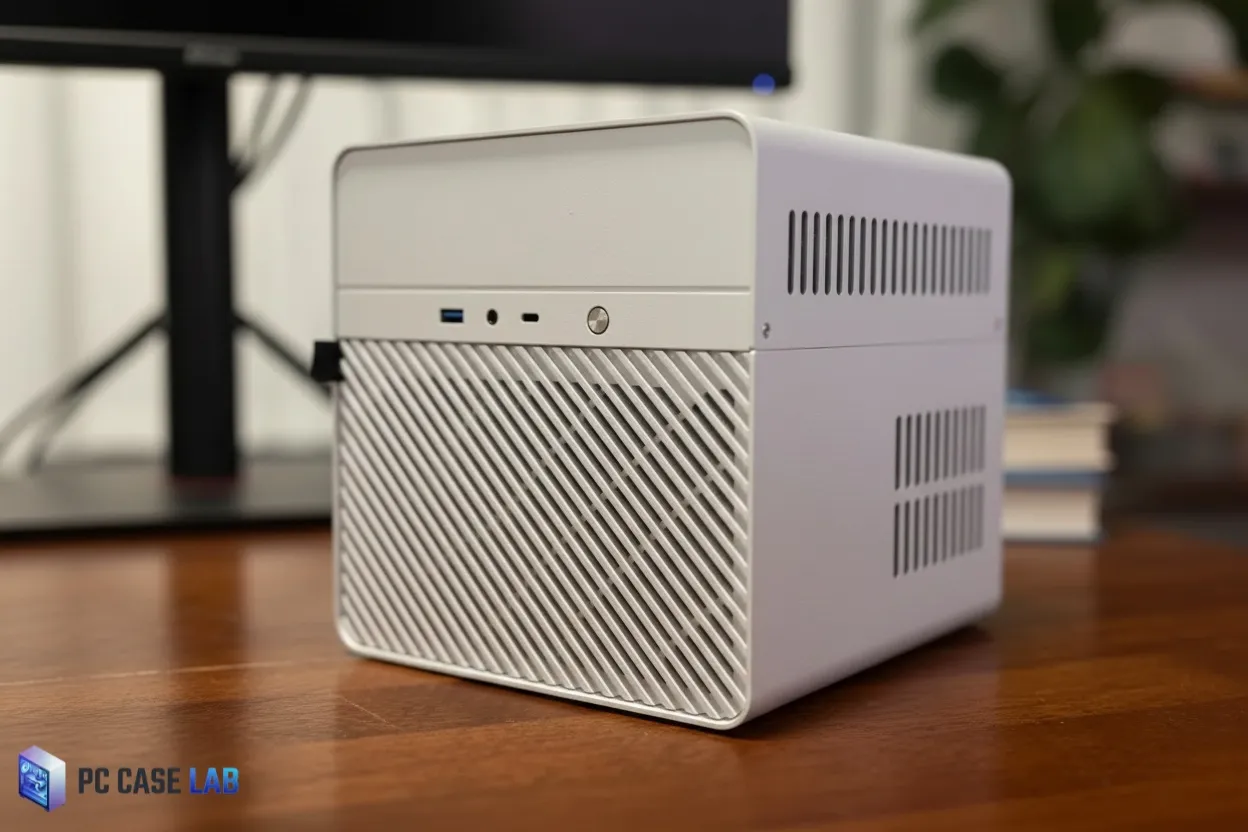
Jonsbo N2 has been the best compact NAS case for DIY enthusiasts since 2026. Jonsbo N2 has 11.1 Liters of space inside the case and has room to fit five 3.5″ hot-swappable hard-drives, and a 2.5″ SSD, all in a Mini-ITX format. It is highly unlikely that you will be able to find another case with as many 3.5″ drives in such a small form factor as Jonsbo N2.
This case is made with 2.0mm aluminum on the outside and heavy-duty steel on the inside of the case. This gives the case a better build quality than most consumer-grade cases and compares well to high-end enterprise cases. All five 3.5″ hard-drives connect directly to the built-in SATA back-plane and each drive can be swapped out using the magnetic front panel attachments and a tool-free process. The ability to hot-swap drives is very rare at this price-point; most Mini-ITX NAS cases require you to pull the top off of the case and unplug the cables from the motherboard.
Cooling in the case comes from a single 120×15mm thin fan located at the rear of the case. The default location for the fan is connected to the backplane header and it operates continuously at full RPM. Most users route this fan to the motherboard’s system fan header for PWM control through the BIOS, it makes a huge difference in the noise level produced by the fan. There are two perforated side panels and a mesh top over the CPU area that allow for passive airflow into the case. If you have multiple 7,200 RPM drives installed in the case and they are working together at maximum capacity, temperatures inside the case can reach as high as 50°C.
The component selection for this case is limited, the CPU cooler can not exceed 65mm in height and therefore you would be forced to use something similar to the Noctua NH-L9i. In addition, the single PCIe slot only supports low-profile, single-slot expansion cards up to 197mm long, which limits your choices of HBA cards and 10GbE network interface cards. In addition, most Mini-ITX motherboards only support four SATA ports, so you may need to purchase an M.2-to-SATA adapter or a low-profile HBA to fill all six drive bays in the case.
One thing that may catch some users off guard is the fact that you should install your modular power supply cable(s) prior to installing the motherboard because the clearance in the case is very tight and you can’t easily get them installed afterward. You are also going to want to use right-angle SATA cables to help prevent obstruction of the rear fan by other components.
In comparison to the Fractal Design Node 304 (which is roughly twice as large as the Jonsbo N2 at 19.5 Liters), the Jonsbo N2 is clearly the better choice if you are limited to how much space you can devote to your NAS. For users that require more than five drive bays, the Jonsbo N3 offers the same design aesthetic in a larger version. For anyone looking to create a TrueNAS or Jellyfin server that requires hot-swap capability in a small form factor NAS enclosure, the Jonsbo N2 is the benchmark that all other enclosures will be measured against.
Fractal Design Node 804
Pros & Cons
- Up to 12×3.5″ HDD capacity
- Dual-chamber airflow separation
- No PCIe card length restrictions
- Strong long-term reliability record
- No hot-swap backplane
- Cable management is difficult when fully populated
- No USB-C or modern front I/O
- Takes planning to build correctly
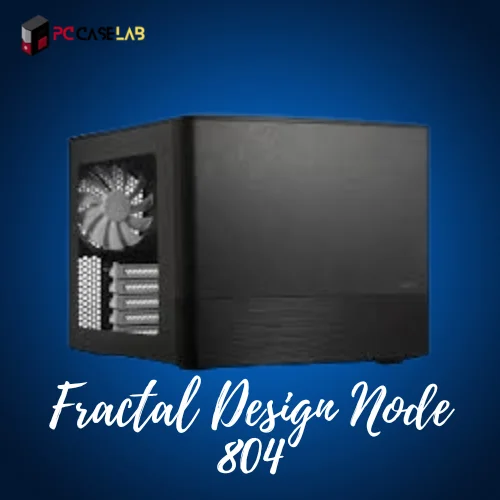
High-capacity NAS build enthusiasts have consistently ranked the Fractal Design Node 804 (best home server case) since 2019, and we continue to rank it as our best choice for home NAS builds. The primary reasons for this are the unique dual-chamber cube design and how it creates two separate airflow zones for the CPU/GPU and the PSU/drive sides of the build. No other Micro-ATX NAS case available in the $100-$200 range offers anything close to what the Node 804 delivers in terms of airflow zones.
In addition to the Node 804’s superior airflow, its greatest strength lies in its ability to accommodate large amounts of storage. The Node 804 can support up to 12 x 3.5″ hard disk drives (HDDs), and four 2.5″ solid-state disks (SSDs), using all of the drive bays located on the front, back, and bottom of the case. As such, the Node 804 far exceeds the storage capabilities of many NAS enclosure designs made specifically for storage servers, yet is available in a very compact Micro-ATX form-factor. The cost of this increased storage potential comes in the form of additional cabling required for each individual drive in the case; because the Node 804 does not have a drive backplane, each drive requires an additional SATA cable for both the data and power cables. When the case is fully populated with drives, the number of cables in the case will quickly become overwhelming; planning your cable routing prior to populating the case is not optional.
Generally speaking, the thermal performance of the Node 804 is acceptable. However, if you plan to install enterprise-class 7,200 rpm drives into your Node 804, be prepared for them to exceed temperatures of 40 degrees Celsius (104 F) when they are under heavy sustained loads unless you optimize the location of your fans. Experienced builders recommend upgrading to higher static pressure fans and utilizing a compact SFX or ATX PSUs to provide additional airflow to the drive cage in order to minimize temperature increases.
A significant differentiator for the Node 804 compared to other NAS cases is that there are no limitations on the length of PCIe cards that can be installed within the case. Therefore, full-length GPUs, HBA cards, and 10 Gigabit Ethernet (GbE) Network Interface Cards (NICs) may all be utilized in the Node 804 without any need to modify the case. This capability provides the Node 804 with the flexibility to support Plex video transcoding, ZFS storage pool implementations, and even virtual machine hosting solutions where expansion cards are necessary components.
The interior layout of the Node 804 can take some time to understand when building inside of it for the first time. The drive cage mounting system is not immediately obvious, and the limited space provided by the PSU chamber for cable routing can make it difficult to manage the multitude of cables present in a densely populated Node 804 build. Once you have spent the time to develop a mental map of the internal layout of the Node 804, it becomes apparent that it is a very reliable and flexible case to work with. One of the few drawbacks to the Node 804 is that it does not feature modern I/O ports, such as USB-C, however, for a NAS that resides in a rack or closet, this is not typically a concern.
SilverStone DS380B
Pros & Cons
- 12 drives in 21.6L ,rare at this size
- 8 true hot-swap bays
- SAS 12G + SATA 6G backplane support
- Lockable front door
- Minimalist aluminum design
- Cooling needs aftermarket upgrades
- Drive cage must come out to access motherboard
- No cable tie-down points
- PCIe HBA blocks Bay 3
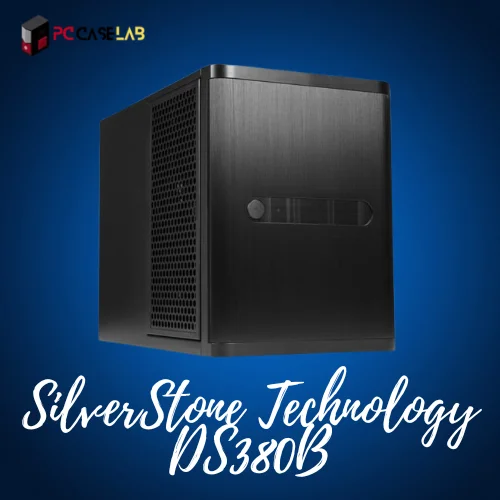
If your goal is to maximize drive density and fit as much storage as possible into the least amount of space, then the SilverStone DS380B is difficult to pass up. With a volume of 21.6 liters, this compact NAS case provides room for twelve drives ,eight hot-swappable 3.5″/2.5″ bays through a SATA/SAS backplane plus four non-hot swappable 2.5″ bays, while still accommodating Mini-ITX and DTX motherboards.
In addition to providing flexibility in drive selection, the backplane supports both SAS 12 Gbps and SATA 6 Gbps drives making it ideal for ZFS, TrueNAS, and UnRAID builders. The brushed aluminum front door is lockable, a feature that would be very beneficial if the case was placed in a shared office or lab setting. Maintenance will be easy once the case is built, just remove the trays holding the drives.
Airflow for cooling the drives is where the DS380B falls short. Although there are three 120 mm fans on the case, two for intake and one for exhaust, airflow is not uniform across the bays. In warm environments with heavy loading of the drives, they often exceed 50 °C. The common solution to this problem is to create custom airflow ducts to direct the intake air flow directly over the drive cage. Then replace the stock fans with higher static pressure fans, such as the Noctua industrial PPC series , and you should see improvement. However, this adds more noise and requires some fabrication.
You may find yourself surprised by the PCIe limitations of the DS380B as well. While most Mini-ITX boards do not provide enough SATA ports to connect all eight hot-swap bays, you will need an HBA (host bus adapter) card. However, since most full length PCIe HBAs block bay 3, you will be capped at seven drives. One of the community recommended workarounds is the ASRock C2750D4I board ,it has 12 onboard SATA ports and ECC memory support, allowing you to eliminate the HBA altogether.
Due to its design, the build experience for the DS380B is somewhat cramped. Removing the motherboard requires pulling out the entire drive cage ,a time-consuming and frustrating task due to the lack of internal space. Cable management is also lacking as there are no cable tie-down points, therefore, airflow suffers when the case is completely loaded. In addition to these issues, there have been reports of vibrations and buzzes coming from the front door when using certain drive configurations. Be careful with the backplane capacitors when installing them.
Jonsbo N10 and NV10
Pros & Cons
- 4.5L — genuinely pocket-sized
- Walnut accent + USB-C on a budget
- N10: clean SSD NAS build
- NV10: full dGPU in 4.5L
- No hot-swap support (N10)
- 40mm fans can be loud
- Tight M.2 access post-build
- Limited to low-TDP/low-profile components
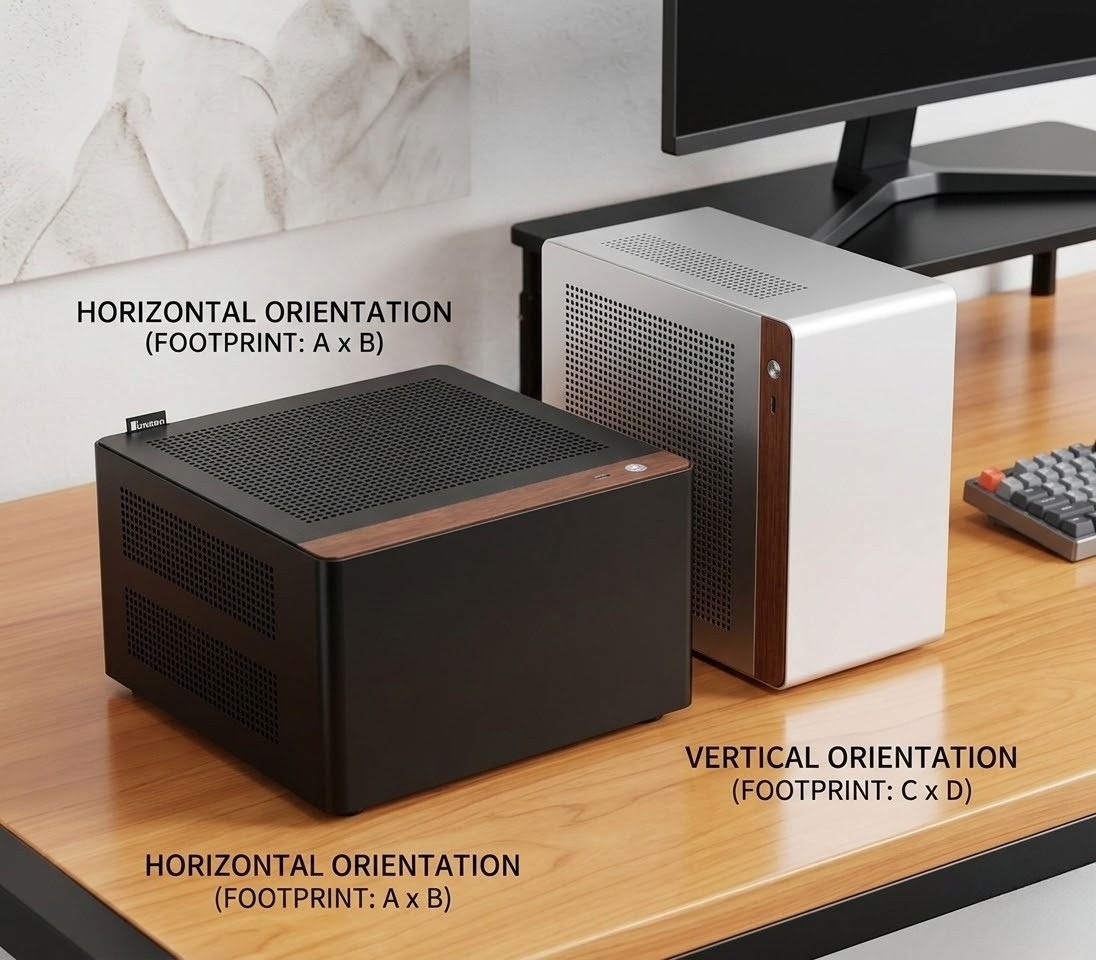
The Jonsbo N10 and NV10 are two ultra-mini-ITX enclosures (4.5 liter), among the small sized cases for nas available, with very similar design (both measure 205x205x108mm) and housing, however they were created for entirely distinct objectives. The N10 is a NAS enclosure specifically designed to be an all-SSD storage unit; the NV10 is an ultra-small gaming enclosure.
The N10 provides space for four 2.5″ drives within a fixed cage, but does not provide a hot-swap backplane. Each of these four drives requires a manual SATA and power connections, as in this case of a 4.5-liter enclosure it can get quite difficult. Exhaust fans for the N10 are two 40mm units, and while this should provide sufficient air flow for lower TDP platforms such as the Intel N355, will not have enough air flow for higher heat producing components such as a 10GbE network interface card or NVMe drives. Due to passive airflow in the top chamber, the air will stagnate rapidly. Many users pair the N10 with a CPU board that is embedded with a processor, and was designed to run continuously.
The NV10 deletes the drive cages and replace them with a area for mounting a GPU and a PSU. This enclosure can support two low-profile dual-slot graphics cards (such as the NVIDIA GeForce RTX 4060 LP and 5060 LP) using a PCIe 4.0 riser cable provided by the manufacturer. During stress testing with a Ryzen 7600X in Eco Mode (65W), the CPU temperature peaks at approximately 85°C and the GPU temperature peaks at about 88°C during the Furmark test. A typical solution to this issue is creating a custom 3D printed bracket to mount a 40mm fan on top of the GPU to improve air flow through the enclosure.
As previously mentioned, both enclosures use modular Flex ATX PSUs that can be up to 150mm long. While there are many options available, the community favorite for this type of build is either the Overtech 600W or Appa 500W. As a general rule of thumb, install your rear facing M.2 drives prior to completing the final assembly of the enclosure; as once assembled, it is highly unlikely you’ll ever be able to access them again. Overall, the build quality of each of these enclosures is good value for money; they’re constructed out of 3.3mm thick aluminum, include USB Type-C ports in the front I/O panel and feature a beautiful walnut wood accent that appears far more visually appealing than one would normally anticipate from a $65–$82 enclosure.
These enclosures are purpose-designed with very real constraints. If you need a very quiet, all-SSD home NAS enclosure, then the N10 is a great choice. If you want to deliver excellent 1080p gaming in under five liters, then the NV10 is a great option. Both enclosures will work fine if you select compatible hardware, but neither will tolerate any hardware compromises.
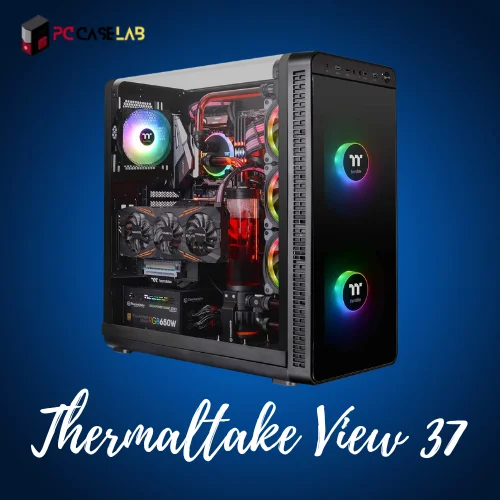
Thermaltake View 37
Pros & Cons
- Good-looking case with ARGB fans
- Vertical GPU placement included
- Supports E-ATX motherboards
- Plenty of PCIe expansion slots
- Plastic side panel scratches easily
- Not purpose-built for NAS airflow
The Thermaltake View 37 is a mid-tower NAS case that accommodates both expandable storage and good looks. There are five ARGB fans installed in the case. These fans are capable of being controlled by either your motherboard or separate color settings. This design will prevent any sagging from the graphics card.
The case dimensions are as follows (Height x Width x Depth) = 21.2″ × 10.6″ × 20.6″. The case is heavy, weighing 24.91 lbs but is still easy enough to be moved. The case can accommodate up to eight 2.5″ or four 3.5″ hard drive bays on the back. Inside the case there are also three additional bays. Motherboard support is provided for Micro-ATX, ATX, and Extended-ATX motherboards and there are several available slots for installing additional HBA cards or 10GbE Network Interface Cards.
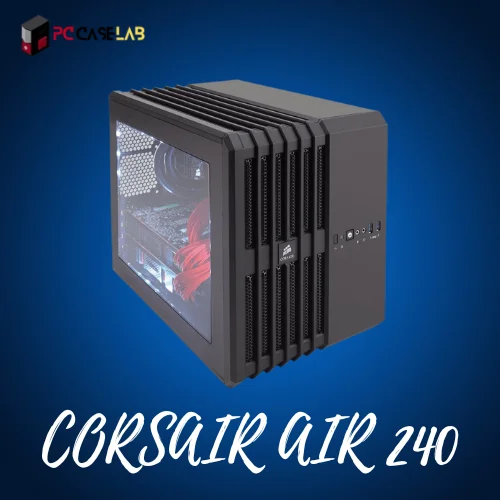
CORSAIR Carbide AIR 240
Pros & Cons
- Good cable routing
- Compact with strong cooling
- Supports dual GPUs
- Quality build materials
- Fan noise increases under load
- Limited drive bay count
CORSAIR Carbide AIR 240 is an mITX & mATX NAS case that provides high performance cooling in a small space. Three 120mm fans come installed with this case. Fans provide sufficient air flow over the CPU, GPU, and storage devices. It has space to install up to about 6 TB of storage and supports the installation of two video cards which can be beneficial if you are using your NAS for processing video/media files.
It’s built with high quality aluminum and steel materials so you will not have to worry about long-term durability and reliability when used on a daily basis. There is a full length side window that allows you to see inside the case at all times. Cable management is better than most other Mini-ITX cases and is clean and neat. The main problem is that it gets very loud when you run it continuously (sustained loads). Therefore, I would not recommend this for a NAS for your bedroom.
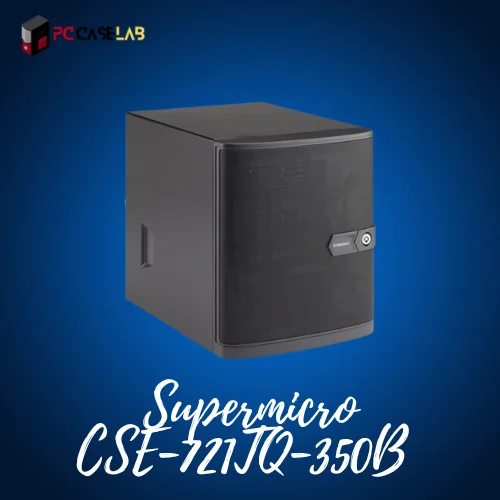
Supermicro Superchassis CSE-721TQ-350B
Pros & Cons
- Four hot-swap drive bays
- Removable motherboard tray
- 350W 80Plus PSU included
- Enterprise-level build quality
- HDDs run hot without airflow optimization
- Limited to four hot-swap bays
The Supermicro Superchassis CSE-721TQ-350B is a mini tower NAS server designed to utilize enterprise quality components in its construction. The chassis has four drive bays that are designed for hot-swapping three and a half inch hard drives. In addition to the four bays there are also two other internal drive bays to hold two and a half inch drives. It comes with an eighty plus certified 350 W power supply. There is a five and twenty-five inch bay on the top of the case for installing an optical drive or fan controller.
The interior of the case has good organization; it does not come cabled up from the factory, but the motherboard tray is easily removed which makes for easy assembly. It is compatible with all single processor AMD and Intel architectures. This would be a good choice for anyone looking for a high-quality case that will provide excellent physical protection when used in a small business or prosumer NAS server application. Under sustained load HDDs may run warm, therefore it would be wise to use some type of proactive fan control system.
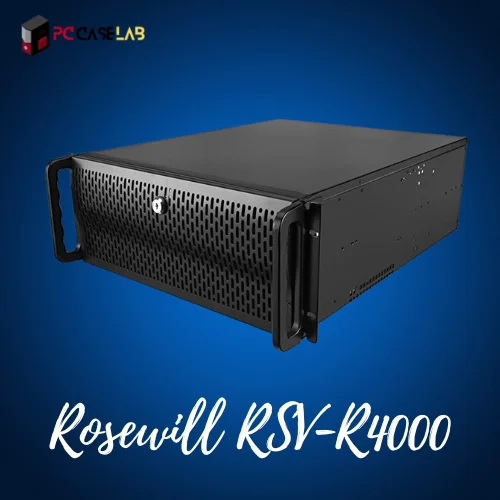
Rosewill RSV-R4000
Pros & Cons
- Solid build quality
- Hosts up to 12 storage drives
- Four fans for effective cooling
- Lockable front panel
- Cable management is poor
- USB 2.0 only on front panel
The Rosewill RSV-R4000 is a 4U rackmount NAS case that will work in your server room. This chassis will support dual Intel Xeon processor configurations (dual-core, quad-core or 8 core) and accept either CEB (12″ x 10.5″) or ATX (12″ x 9.6″) motherboard designs. It has 12 bays to hold drives and comes equipped with 4 case fans as well as a lockable front panel for multi-drive storage applications which require physical security and good airflow for cooling.
The two USB 2.0 ports on the front panel are used for connectivity and the cable management points at the bottom of the case will help you install this case into a rack with ease. The Rosewill RSV-R4000 is an affordable alternative to the best 8-bay NAS cases if you want a rackmount style case but don’t have the budget for an enterprise version. The one negative aspect of this chassis is the lack of cable management, the interior of the case can become cluttered when using all the available bays.
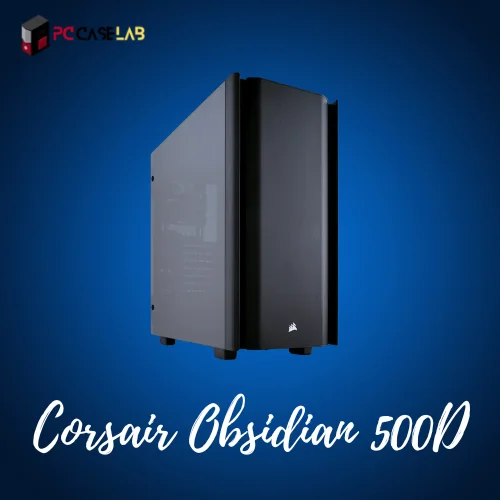
Corsair Obsidian Series 500D RGB SE
Pros & Cons
- Decent cable management
- Excellent aesthetics with tempered glass
- Custom radiator tray support
- RGB LED with USB 3.0 ports
- Heavy
- No case fans included
- Not optimized for NAS-specific airflow
Corsair’s Obsidian Series 500D RGB SE is the choice for those who need an aesthetically pleasing computer case for their NAS but still wants the build to be nice enough to display on a desk or shelf. If clean design is a priority, our guide to minimalistic PC cases covers more options worth considering. It has dimensions of 9.33″W x 19.69″L x 19.96″H which is a true mid-tower and offers tempered glass on multiple sides and customizable RGB lighting; custom radiator tray and modular cable management keeps the build looking clean and uncluttered regardless of its focus on the outside view.
This isn’t a NAS enclosure designed specifically for building a NAS (you’ll see less drive density and fewer airflow paths dedicated to the NAS in the Jonsbo or SilverStone cases). If however, you have a NAS that will sit on a desk and needs to appear to belong there as much as possible, then this is the case for you. The one major drawback is that the case does not come with fans,if you’re unsure whether PC cases include fans, they typically don’t, so you will need to purchase at least three high-quality fans (120mm or 140mm) prior to starting the build.
Pros & Cons
- Excellent airflow with dual 200mm front intake fans
- Great for LAN parties, cube shape with carry handle
- Sliding motherboard tray makes installation easy
- Low center of gravity, very stable on a desk
- Outdated, utilitarian look,no tempered glass or RGB
- Poor cable management options
- Open mesh design accumulates dust quickly
- Top panel can limit certain large radiator configurations
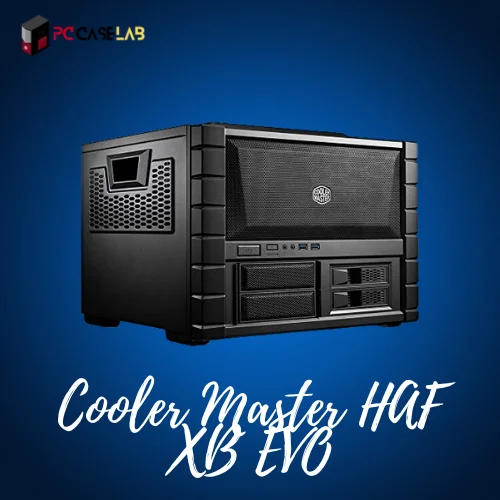
The Cooler Master HAF XB EVO remains relevant for advanced NAS and home server builders who value function over form. Despite being discontinued, it offers a rare mix of modular access, thermal efficiency, and component flexibility that newer cases often lack.
Its dual-chamber layout separates hot and cold zones effectively. The horizontal motherboard orientation improves airflow over CPU and RAM while preventing GPU sag. A standout feature is the removable motherboard tray, allowing it to double as a functional test bench.
What NAS Operating System Do I Need?
You have picked out your case and hardware, now you will choose an operating system for your NAS. There are three basic choices available for you in 2026 based on what type of builder you are.
TrueNAS Core vs. TrueNAS Scale
The most popular choice for a serious DIY NAS build is TrueNAS. TrueNAS Core is an operating system that runs on FreeBSD and is optimized for ZFS pools. This is the best operating system to use for a build that focuses on data integrity. If you want to run applications like Plex, Jellyfin or others along with storage then TrueNAS Scale would be the better choice because it is based on Debian and supports Linux containers and virtual machines.
UnRAID — Most Flexible Option
If you want the most flexibility when using a mixed drive size configuration and/or Docker based applications, UnRAID is the way to go. One major advantage of UnRAID is you do not have to match all of your drives; you can add them as you grow your NAS build. Also, unlike ZFS, UnRAID allows you to incrementally add additional drives to your pool. Keep in mind, UnRAID is a paid license (not open source) however, the flexibility that UnRAID provides for a home lab NAS build is well worth the cost for many builders.
OpenMediaVault — Best for Beginners
OpenMediaVault is based on Debian, free and much easier to set-up than TrueNAS. OpenMediaVault is a good option if you are going to build your first DIY NAS enclosure and do not require advanced ZFS features. Also, OpenMediaVault has a cleaner web interface than TrueNAS, which makes it easier to get started with your NAS build quickly. It is also often used with older hardware configurations that may have limited RAM.
What Are the Advantages of a DIY NAS Build?
Network Attached Storage can provide several benefits over traditional external hard drives for self-hosted storage setups.
1- The primary benefit of Network Attached Storage is that multiple users can access the same file(s) at the same time from various devices across the same network.
2- Network Attached Storage can store data in multiple formats, documents, video, databases, etc. — and can be accessed remotely over the internet when properly configured.
3- Network Attached Storage systems can provide a greater level of disaster recovery protection than external hard drives by providing off-site backup capabilities for the data.
4- For small business or home office environments, the key benefit is the ability to backup workstation(s) and stream media from a central location.
5- For more advanced builders who want to take advantage of advanced features such as running ZFS pools with ECC memory, they can achieve the level of data integrity that is inherent to enterprise class storage systems.
Can I build my own Network Access Storage?
Network storage devices are a great way to store data on a network. Organizations use them to store or broadcast media, back up workstations and corporate servers, or stream live video. But the cost of these systems can be expensive for individuals. If you are looking to build your own NAS, you will need four components: a hard drive, a motherboard, RAM, and a power supply.
What is the difference between a NAS and a server?
A server refers to computers that store the data shared by servers. It usually has a large memory and is connected to the internet. NAS are devices for storing data on a local area network. They offer greater storage capacity, but require an internet connection to access files remotely.
Yes, and for most people, a home-built NAS is both cost-effective and more flexible than any pre-built unit. You need four primary components to build your own NAS: Case, Hard Drive(s), Motherboard, & Memory. Adding a NAS software like TrueNAS or UnRAID will create a completely functional Network Attached Storage device with more control over hardware & software than any Synology or QNAP can provide.
Amazon is an excellent place to look for the NAS case for a PC. You can see the list of some of the most extraordinary situations that will meet your requirements.
When selecting a Mini-ITX NAS case such as the Jonsbo N2, consider ITX motherboards with multiple SATA ports and M.2 slots. The ASRock boards are very well known in the DIY NAS community. When selecting a Micro-ATX NAS case, such as the Node 804, you may want to consider Micro-ATX boards such as the ASUS Prime B450M, MSI Z390-A Pro, and GIGABYTE B365M DS3H as they provide a good combination of SATA ports and expansion capabilities. If you plan to use ZFS storage pools with TrueNAS, then adding a board with ECC memory support will be worth considering.
There is no one-size-fits-all answer to this question, as the NAS case for you will depend on your specific needs and requirements. However, a NAS can be a significant investment if you want to create a reliable and secure storage solution for your home or office.
A server is a general-purpose computer which provides service(s) to other computers via a network, whether it be hosting a website, application, database management etc. A NAS is a storage device specifically designed for storing files on a LAN, and providing those files to other devices on the LAN. Typically, NAS devices consume less power, produce less heat, and are easier to manage than full-blown servers, however they are not as versatile. A DIY NAS running TrueNAS Scale or UnRAID does allow you to run Docker containers and VMs, so the lines are blurred quite a bit.
Most home users will find that 4-6 bays is the practical number to start with. This allows you to create a RAID array with redundancy and leaves space for future additions. If you’re planning on creating a Plex Server for your large media collection or a home office backup server, having 8-12 bays will give you some extra “head-room”. Some good examples of an 8-bay NAS case include the SilverStone DS380B (8 hot-swappable bays) and the Rosewill RSV-R4000 in a rack configuration.
The best RAID configuration for your needs depends on your priorities. RAID 1 (Mirroring) is simple redundancy with two drives. RAID 5 and RAID 6 are more advanced configurations that provide redundancy on a larger scale while also providing better storage utilization. ZFS RAIDZ2 (the TrueNAS version of RAID 6) is recommended by most serious home NAS builders due to its ability to protect against two simultaneous drive failures. UnRAID’s parity system is another viable alternative when using different-sized drives.
If you need a central location for file storage, reliable backups, or a media server that is always active, then yes, a NAS is worth the investment. While pre-assembled NAS units from Synology or QNAP are easier to configure, building your own DIY NAS using one of the above-listed cases offers significantly more storage for the dollar and complete control over both hardware and software. The initial setup process can be complex, but the benefits pay off in the long run.
While there are many cases for sale at varying price points, the Jonsbo N10 (~$82) is currently the least expensive case built specifically for NAS duty. The Fractal Design Node 804 is generally available in the $90-$120 range used and is capable of outperforming most newer cases at similar price points. If you are new to building a NAS and want the cheapest possible option for your first build, either the Node 804 or repurpose an older ATX tower with a multi-bay adapter in the 5.25″ bay is the most commonly referenced method by veteran builders.
All of the cases mentioned here are available through Amazon and Newegg. Both of these retailers are reliable and will ship product quickly and offer reasonable return policies. For discontinued products (such as the Cooler Master HAF XB EVO), eBay and the r/homelab buy/sell sub-forum are the primary places to search. AliExpress is also a great resource for purchasing Jonsbo cases cheaper than Amazon, but you will need to wait longer for delivery.
Bottom Line
You need to look at what you are trying to build in order to determine which is the best nas computer case your needs. For example, the Jonsbo N2 is going to be the way to go if you have a compact build with a requirement for hot-swap bays. The Fractal Design Node 804 will offer the most raw capacity and value for the dollar when it comes to thermal management for the money. If you need to fit 12 hard-drives into a smaller form-factor, but don’t mind doing the thermal work necessary to make it happen, then the SilverStone DS380B will be your pick.
If you are looking to create an ultra-compact build, the Jonsbo N10 (NAS) and NV10 (Gaming), do a great job of fitting into their niche markets. Although the Cooler Master HAF XB EVO was discontinued, it still ranks as one of the top home-server enclosures available today when it comes to thermal capabilities.
Regardless of what type of NAS case you ultimately choose, be sure to plan out your build before you purchase the case. Understand how many hard-drives you plan to use, how large your motherboard is, what types of PCIe cards you want to support, and which NAS operating system you intend to run. The case that allows you to configure your RAID array and meets your network attached storage needs, is going to be the best NAS case for the task, regardless of whether or not it is the most expensive option.



I am a PC enthusiast with a passion for gaming and all things tech. With years of experience building and customizing PCs, I have become a go-to source for PC case reviews and gaming insights. I am dedicated to researching and writing about the latest trends and developments in the PC gaming industry, with a particular focus on PC cases. From budget-friendly options to high-end builds, I have the expertise to guide you through the process of selecting the perfect case for your needs. Whether you’re a beginner or a seasoned pro, my in-depth reviews and practical tips will help you make an informed decision.